> For the complete documentation index, see [llms.txt](https://liiguide.docs.laws.africa/llms.txt). Markdown versions of documentation pages are available by appending `.md` to page URLs; this page is available as [Markdown](https://liiguide.docs.laws.africa/legislation/finding-legislation.md).
# Find legislation
Explore legislation using these few easy steps
## Browsing for legislation
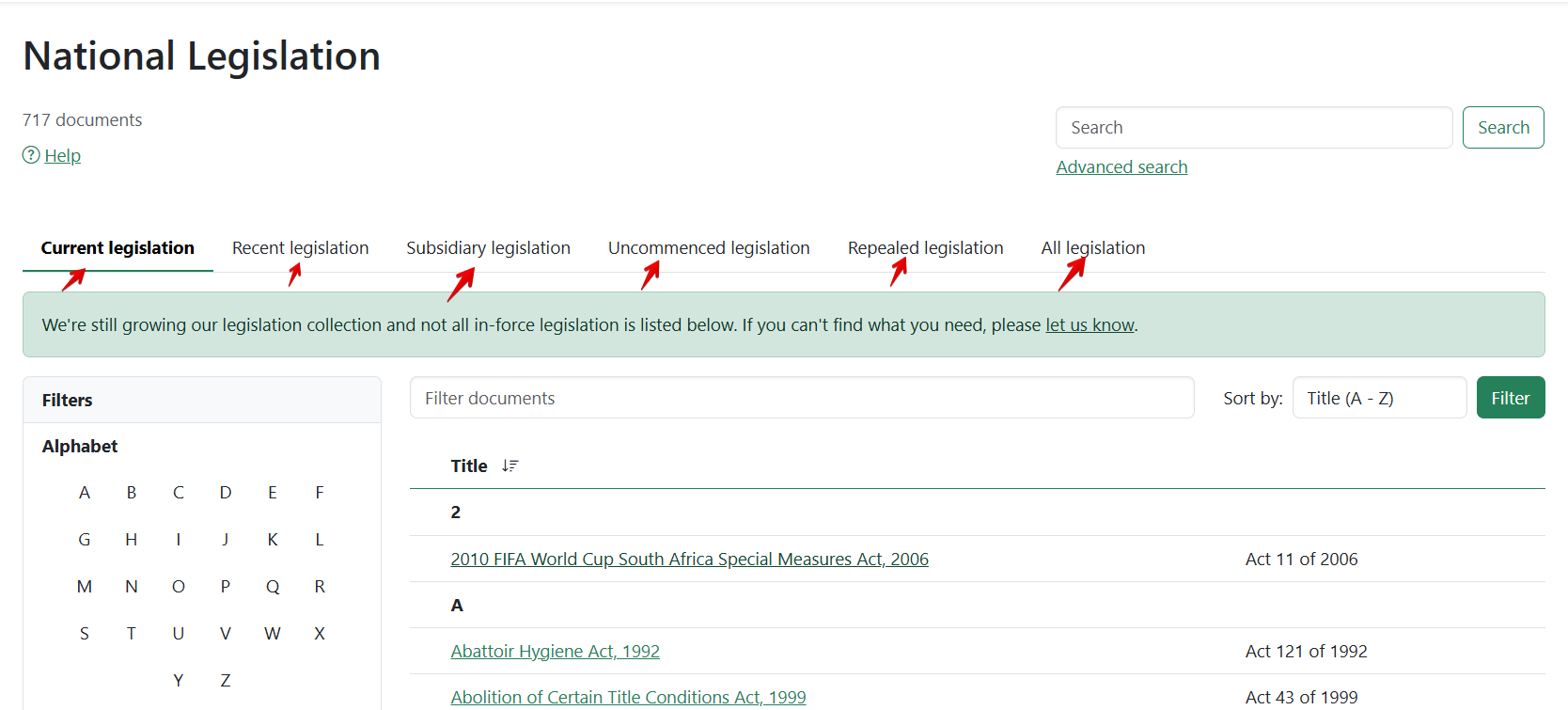
1. At the top of the page, click on **National Legislation** or **Provincial Legislation.**
2. Narrow your search by clicking on either **Current legislation, Recent legislation, Subsidiary legislation, Uncommenced legislation, Repealed legislation,** or **All legislation.**
* **Current legislation:** Legislation that is currently in force. Subsidiary legislation is grouped under each principal Act
* **Repealed legislation**: Legislation that has been repealed and is no longer in force.
* **Subsidiary legislation**: Regulations and other secondary legislation.
* **Uncommenced legislation:** Legislation that has been enacted by a legislative body but has not yet come into effect.
* **All legislation:** A complete list of all legislation including principal Acts, subsidiary, and repealed legislation.
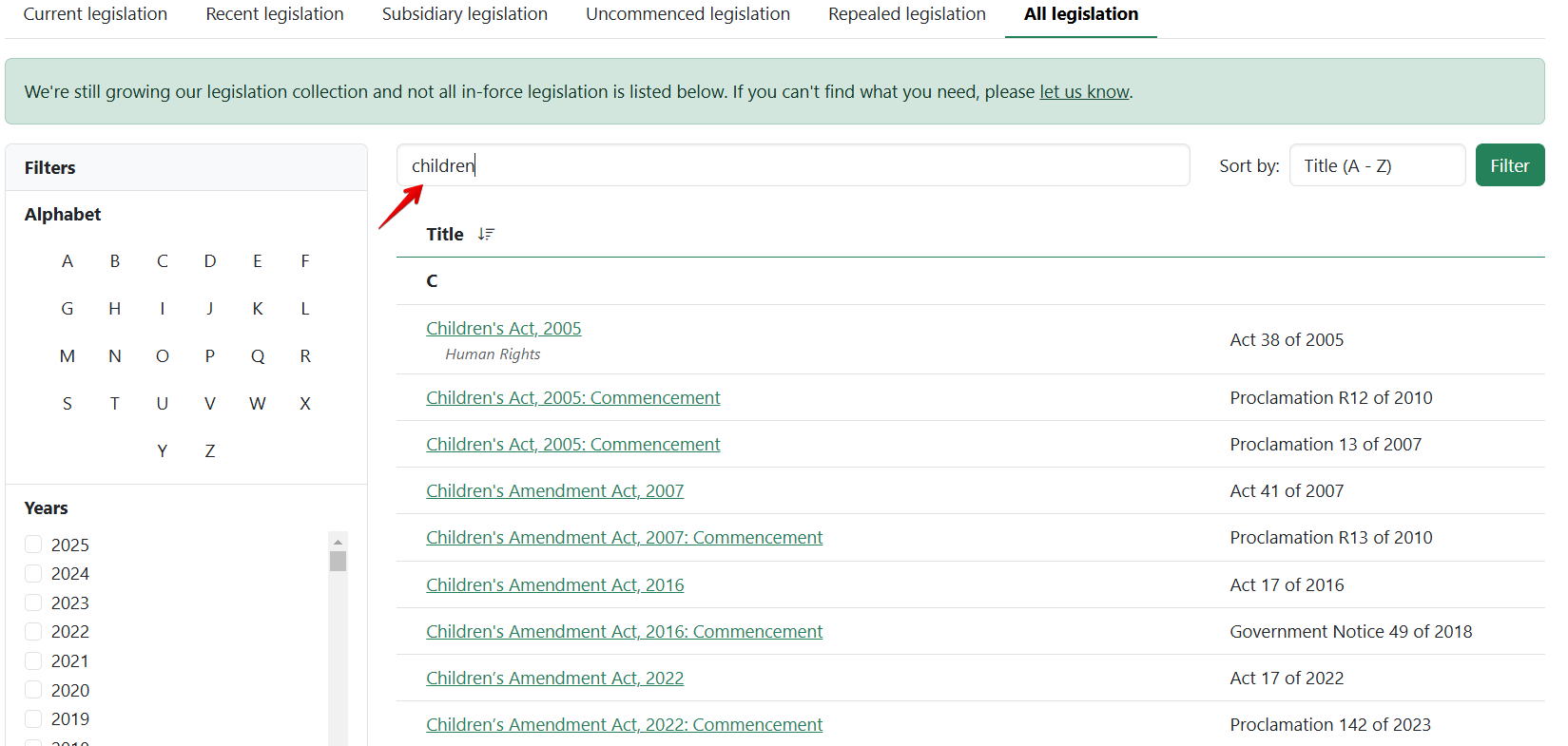
3. Filter the titles by typing in the **filter box.**
4. Type in keywords related to the document you are looking for in the search bar on the legislation listing page and click on the "**Search**" button to retrieve relevant documents.
5. To get refined search options, click on "**Advanced search**" next to the search bar to access additional filters and criteria.
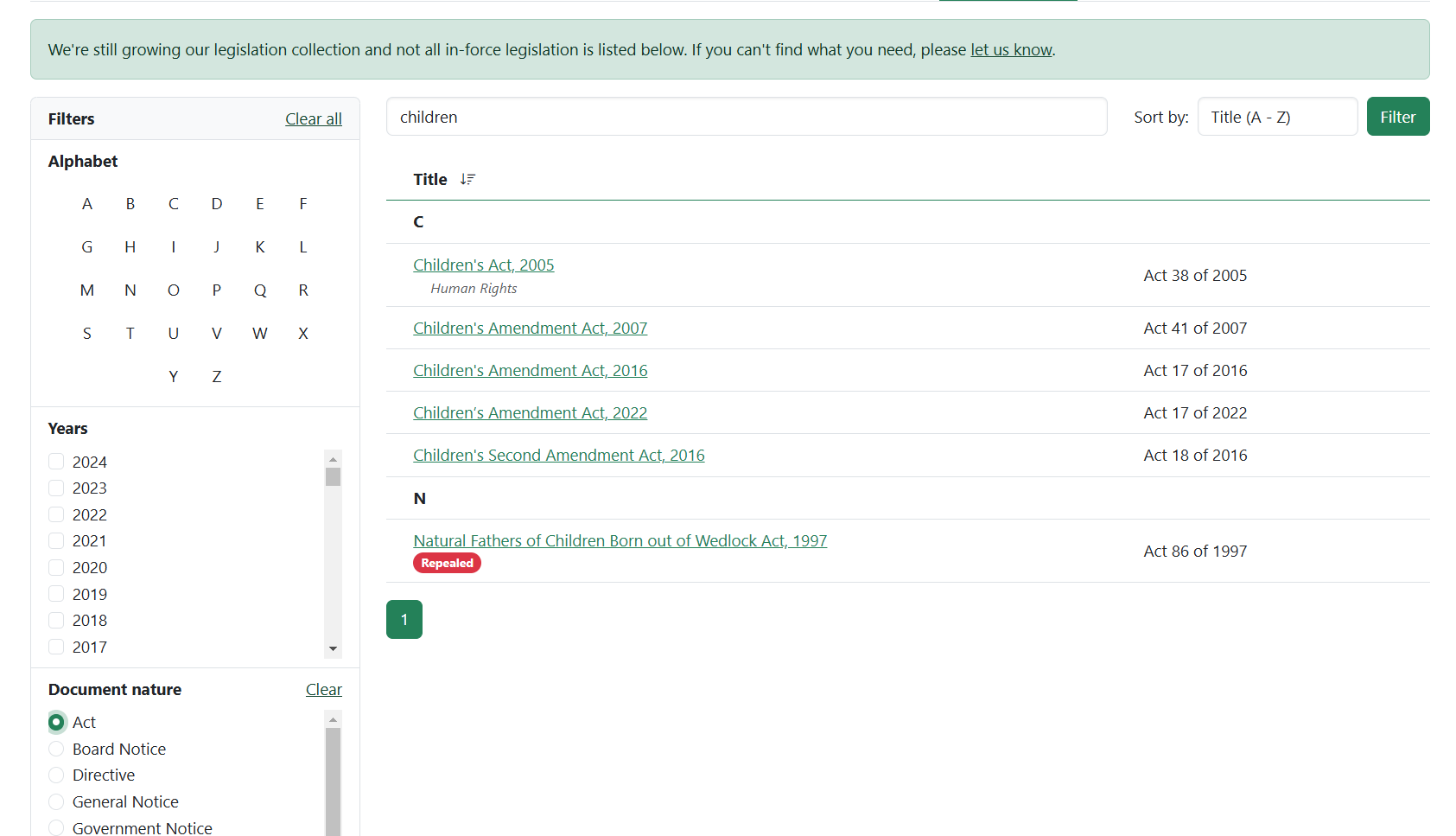
6. Filter your results on the left side by **year, nature,** and **by first alphabet.**