> For the complete documentation index, see [llms.txt](https://liiguide.docs.laws.africa/llms.txt). Markdown versions of documentation pages are available by appending `.md` to page URLs; this page is available as [Markdown](https://liiguide.docs.laws.africa/additional-resources/pocket-law.md).
# Pocket Law
Pocket Law is an offline copy of the caselaw, legislation and other legal materials
To access Pocket Law:
1. Go to the homepage
2. Scroll to the bottom of the homepage
3. Click the **Pocket Law** button
4. **Download** Pocket Law for your specific operating system whether it's Windows or Mac
5. Click on the .exe file to begin the installation process
6. Click Run Anyway when Microsoft Defender SmartScreen shows a warning
7. Once installed, Pocket Law will launch automatically
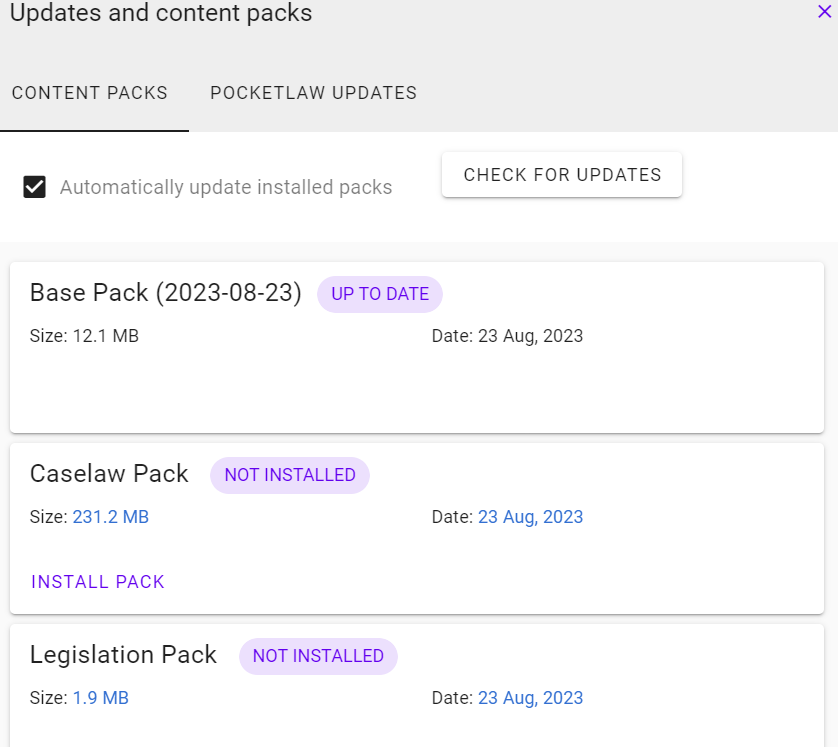
8. Click the **Updates link** on the top right corner to download the latest content
9. Install the content packs you want for offline access