> For the complete documentation index, see [llms.txt](https://liiguide.docs.laws.africa/llms.txt). Markdown versions of documentation pages are available by appending `.md` to page URLs; this page is available as [Markdown](https://liiguide.docs.laws.africa/legislation/repealed-legislation-how-to-find-it.md).
# Repealed legislation
As you conduct your research, you will be alerted at various points that the particular piece of legislation you are viewing, has been repealed.
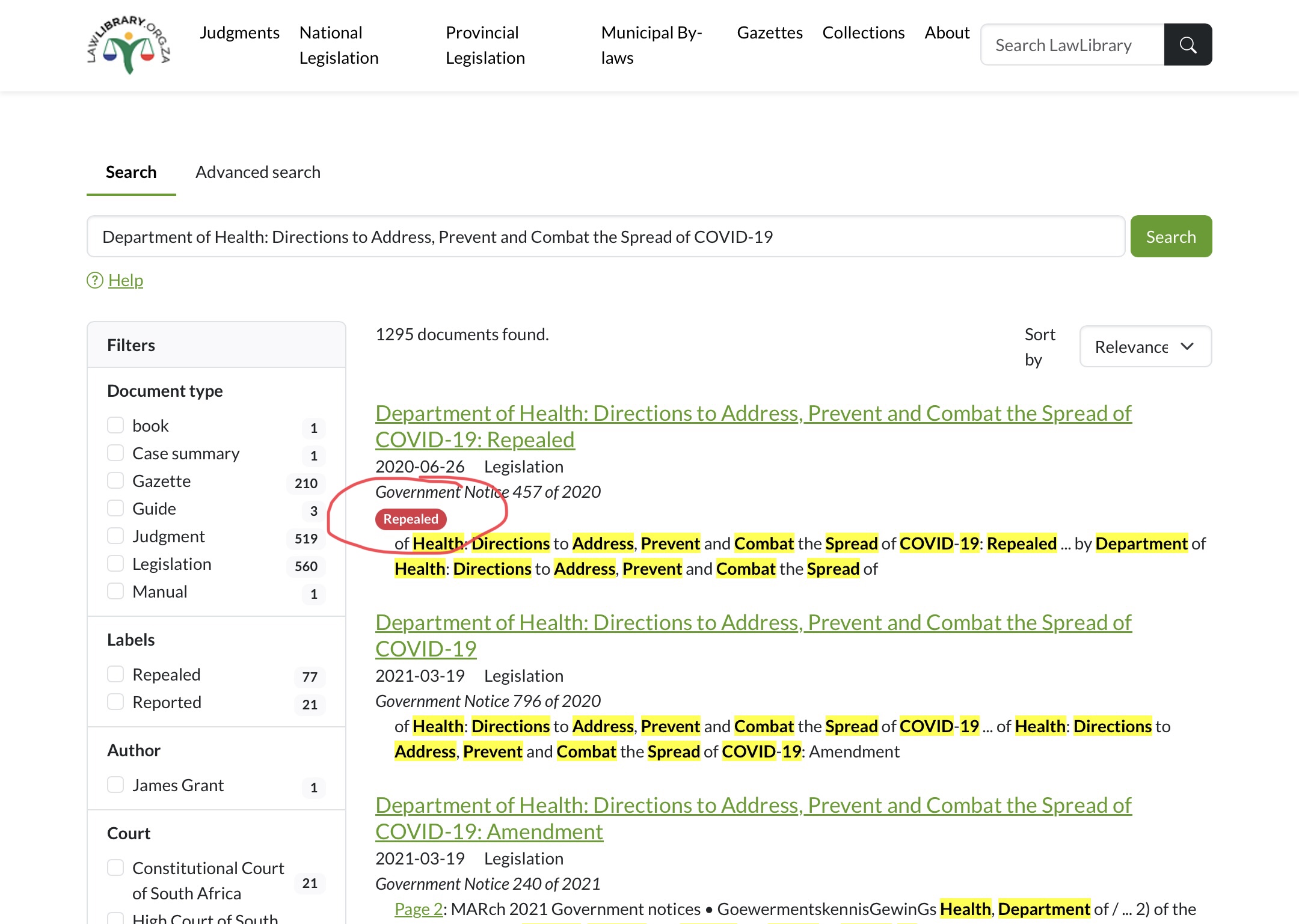
## Alert 1: Search results
When a user searches for a resource using the **search bar,** the results will contain a **repealed** alert in red. This alert aims to minimise the application of laws that are no longer in force, by the user.
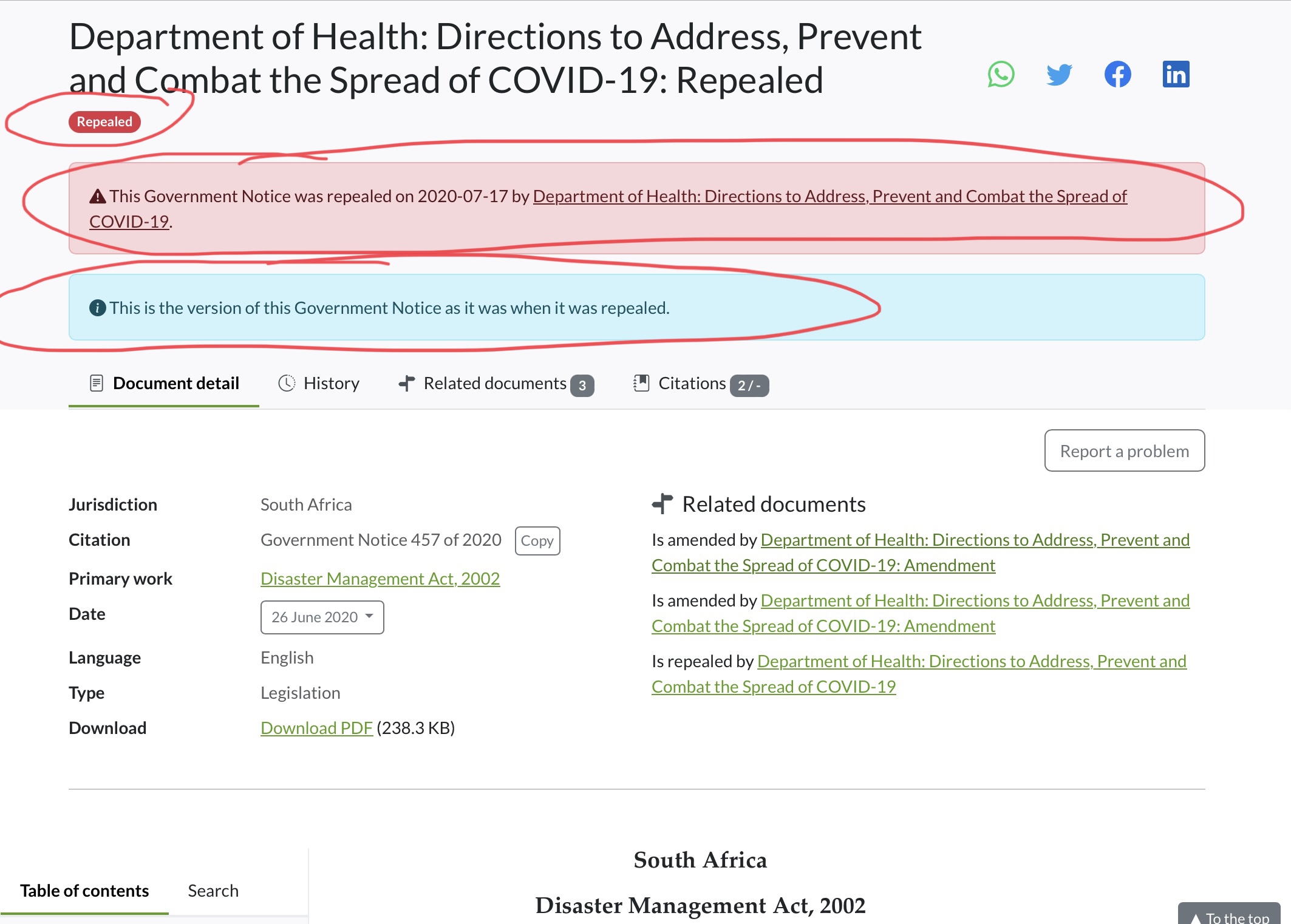
## Alert 2: In- Document Alerts
A user viewing a repealed notice, will be alerted at the top of the document. This alert is accompanied with further details such as the repeal date and a link to the repealing notice.
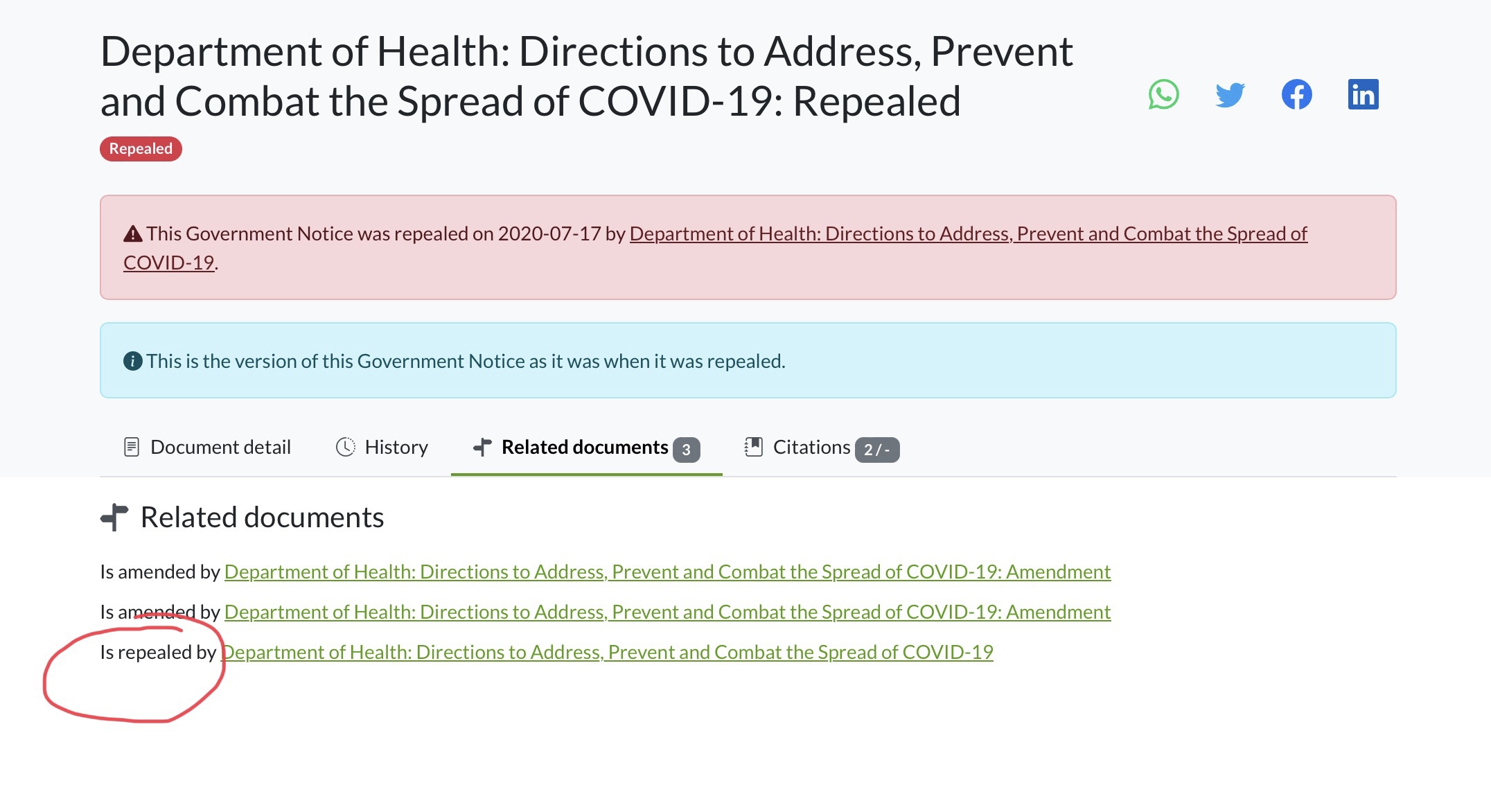
## Related Documents and History
In addition to the above alerts, you will also be able to track the life cycle of a notice by using the **Related documents** tab or the **History** tab. Here you will find information that shows that the notice has been repealed, accompanied by the linked repealing notice.