> For the complete documentation index, see [llms.txt](https://liiguide.docs.laws.africa/llms.txt). Markdown versions of documentation pages are available by appending `.md` to page URLs; this page is available as [Markdown](https://liiguide.docs.laws.africa/finding-information/understanding-subject-area-tags.md).
# Subject area tags
This guide will assist you through the site using subject area tags.
1. Scroll down to the bottom of the page to explore a list of subject area tags.
2. Click on a tag.
3. The documents that match that subject area tag are shown.
## Focus results with filters
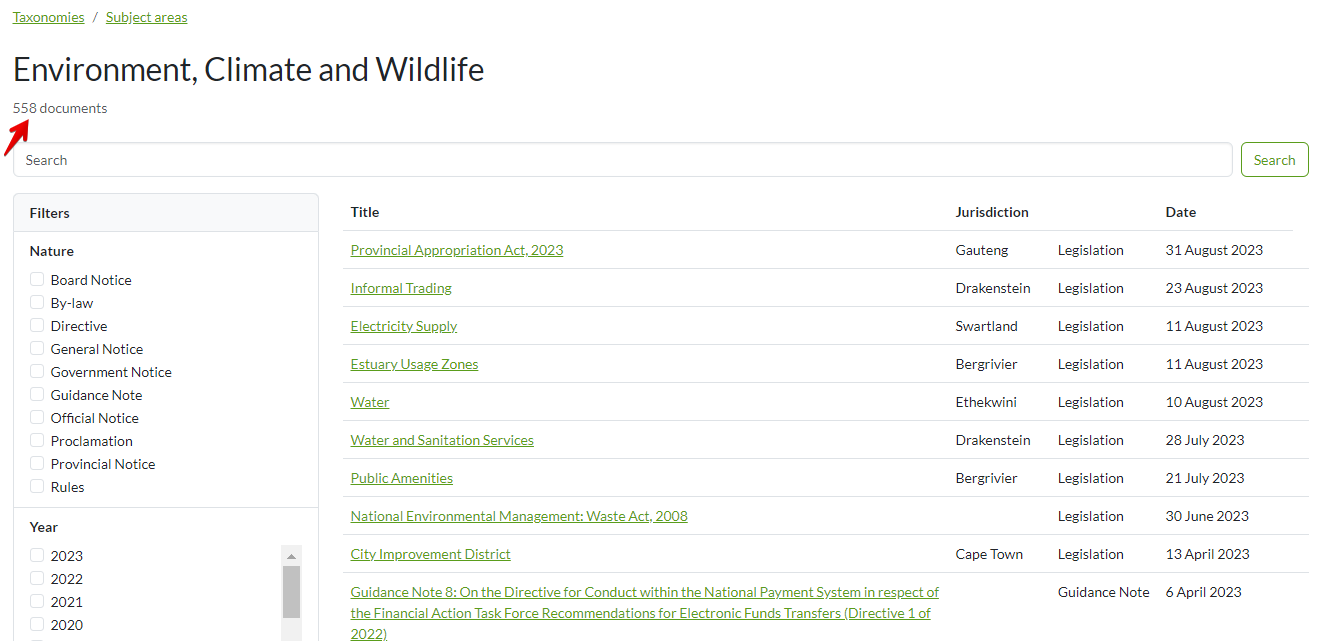
4. Clicking " [Environment, Climate and Wildlife](https://lawlibrary.org.za/taxonomy/subject-areas/subject-areas-environment-climate-and-wildlife) " subject area tag for instance returns a number of documents.
4. Apply the relevant filters on the left-hand side to isolate the specific information you want.
5. Click on a document to view