> For the complete documentation index, see [llms.txt](https://liiguide.docs.laws.africa/llms.txt). Markdown versions of documentation pages are available by appending `.md` to page URLs; this page is available as [Markdown](https://liiguide.docs.laws.africa/finding-information/advanced-search.md).
# Advanced search
Explore Advanced search on your LII site
Advanced search techniques allow you to narrow down your results and find exactly what you seek.
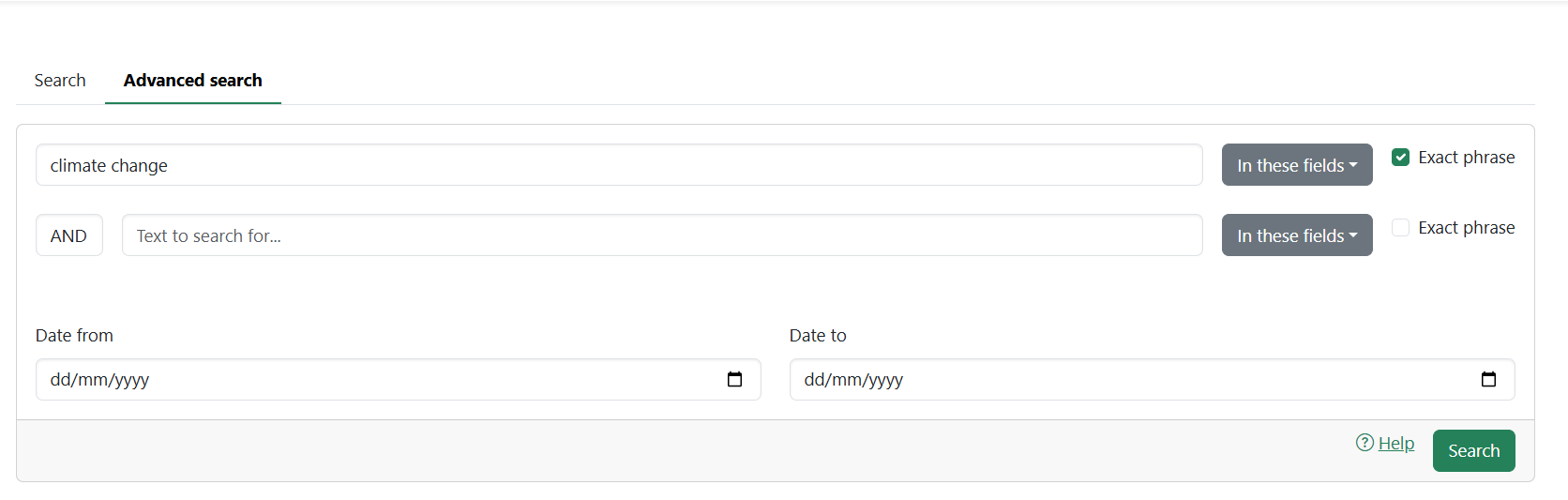
1. Click **Advanced Search** on your site
2. Under the advanced search page, type the words you are searching for in the search box.
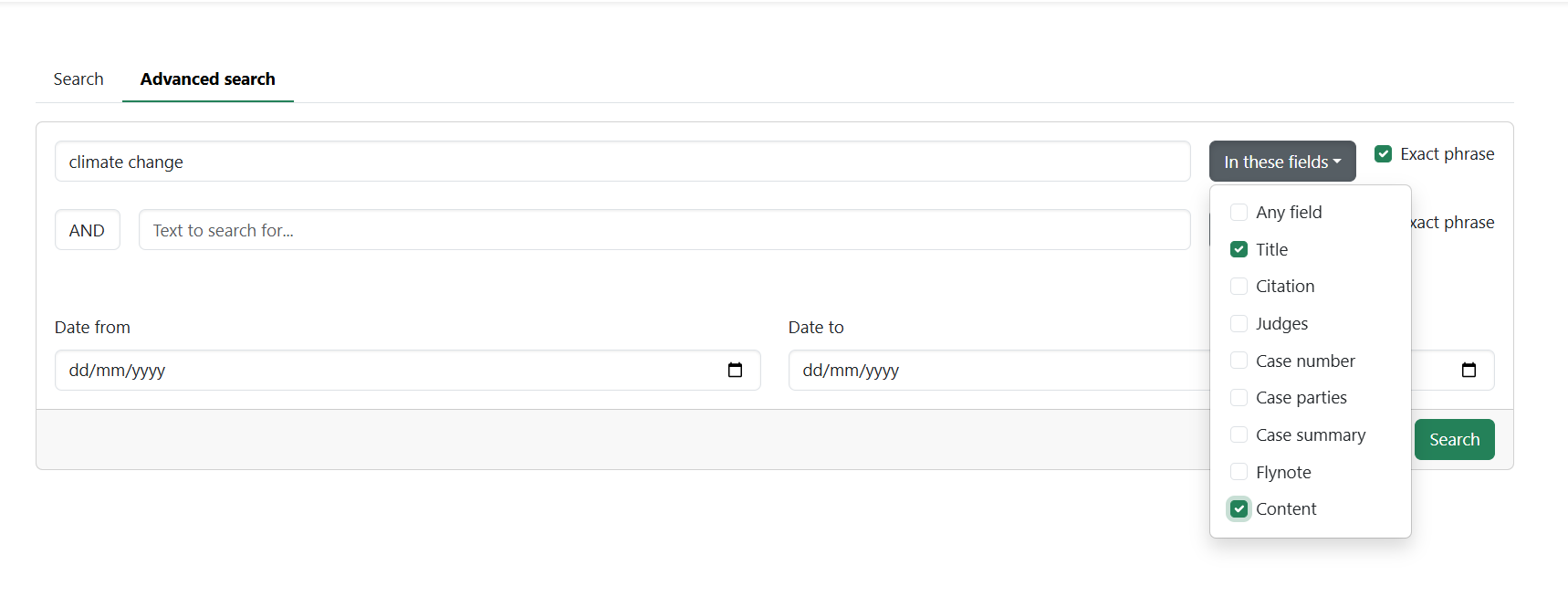
3. Click on the dropdown menu labeled "**In these fields**"
4. Select the relevant fields where you want the search to focus. You can choose multiple fields if needed.
5. Check the box labeled "**Exact phrase**" next to each keyword or phrase to limit the search to exact matches within the selected fields.
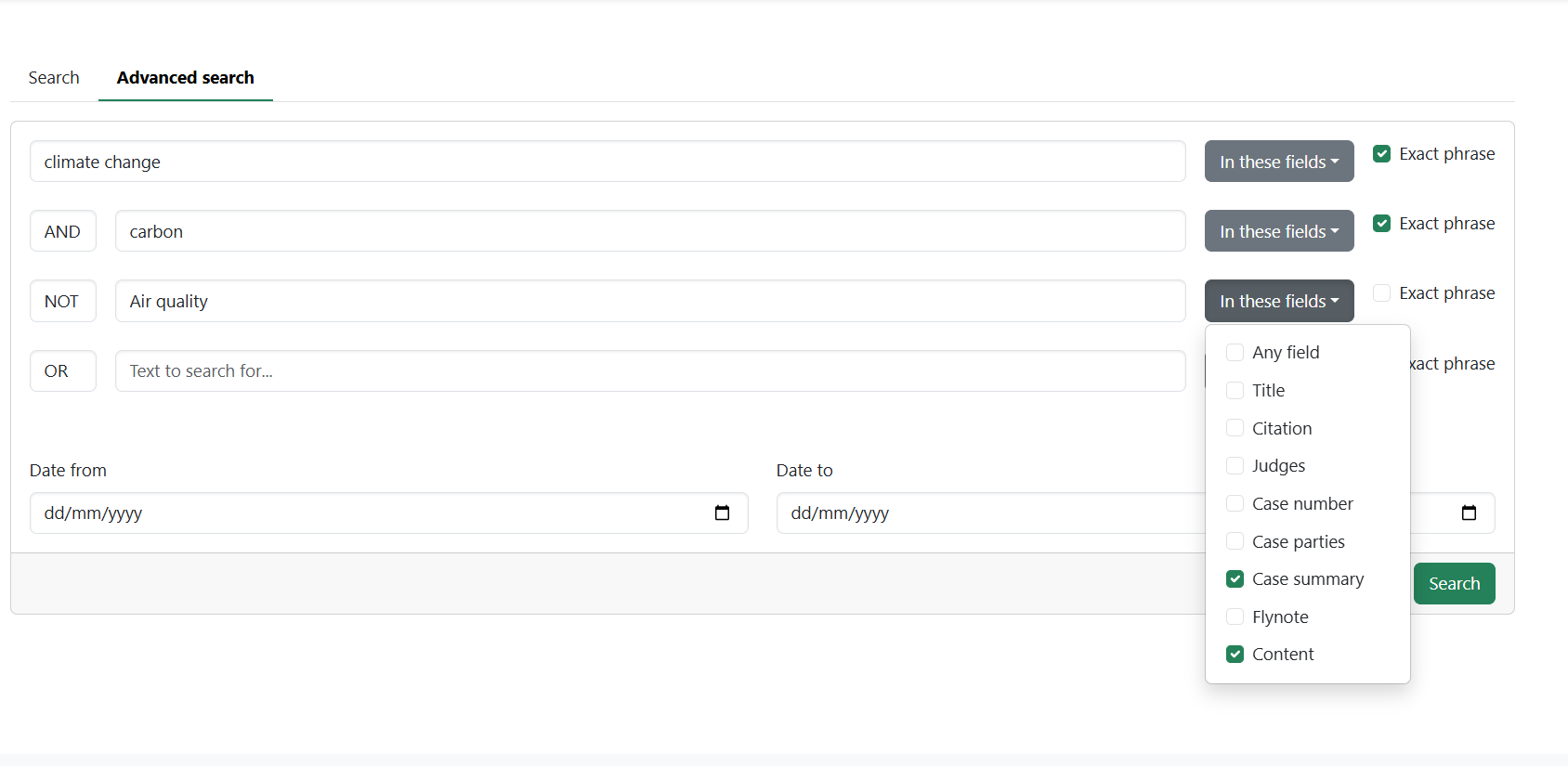
6. Refine your search using **("AND," "OR," "NOT")**
* **AND**: To include all specified keywords.
* **OR**: To include any of the specified keywords.
* **NOT**: To exclude specific keywords.
Use the subsequent text boxes and dropdowns to select the appropriate fields. Ensure you check "**Exact phrase**" where necessary
7. Filter results by date to refine your results further by entering the start and end dates in the "**Date from**" and "**Date to**" fields.
8. Click the "**Search**" button to initiate the search.