> For the complete documentation index, see [llms.txt](https://liiguide.docs.laws.africa/llms.txt). Markdown versions of documentation pages are available by appending `.md` to page URLs; this page is available as [Markdown](https://liiguide.docs.laws.africa/french/pocket-law.md).
# Pocket Law
Pocket Law est une copie hors ligne de la jurisprudence, de la législation et d'autres documents juridiques
Pour acceder a Pocket Law:
1. Allez sur la page d'accueil de votre site.
2. Faites défiler jusqu'au bas de la page d'accueil.
3. Cliquez sur le bouton **Pocket Law**.
4. **Téléchargez** la loi de poche pour votre système d'exploitation, qu'il s'agisse de Windows ou de Mac.
5. Cliquez sur le fichier .exe pour lancer le processus d'installation.
6. Cliquez sur Exécuter quand même lorsque Microsoft Defender SmartScreen affiche un avertissement.
7. Une fois installé, Pocket Law se lance automatiquement.
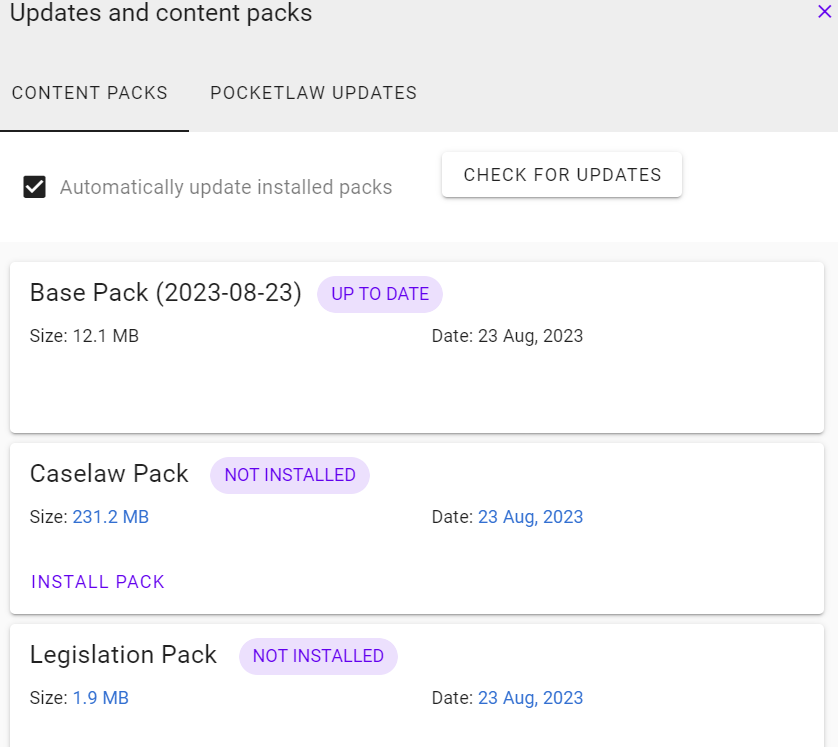
8. Cliquez sur le lien **Mises à jour** dans le coin supérieur droit pour télécharger le contenu le plus récent.
9. Installez les packs de contenu que vous souhaitez pour un accès hors ligne.